Ask your customers after service and make decisions based on answers
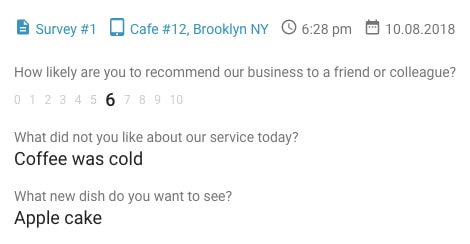

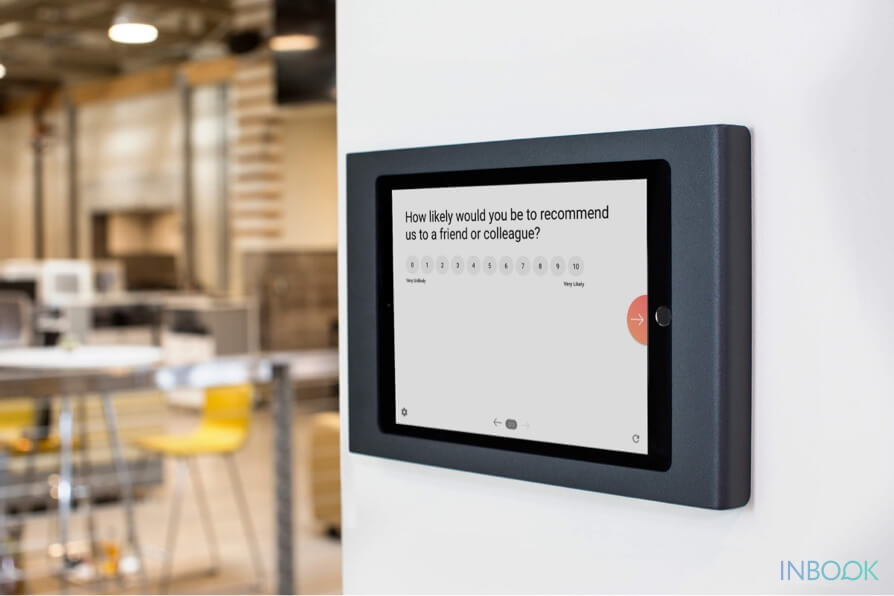
A smiley face survey kiosk lets customers tap a mood in seconds — giving you high response rates and clear satisfaction trends by location and time.
inBook turns any iPad or Android tablet into a dedicated feedback station at your location.
Retail chains, transport hubs, and hospitality brands use smiley kiosks for quick pulse checks.
Typical roles include store managers, restaurant floor supervisors, hotel front office leads, airport service managers, clinic administrators, and operations directors who need location-level CSAT without IT projects.
Paper forms are easy to ignore and slow to tally. QR codes on receipts often get skipped once the customer leaves. Email surveys sent the next day see low open rates. A smiley face survey kiosk at the exit captures honest pulse scores in the moment — with optional follow-up for unhappy guests before they post on public review sites.
Unlike generic form builders, inBook is built for tablet kiosk mode: offline collection, smiley CSAT templates, per-location reporting, and manager alerts — without wiring surveys into a separate website.
Smiley face surveys, or emoji surveys, use pictures of smiley faces to get feedback and see how happy or satisfied customers are. People see a bunch of smiley faces, each showing a different level of happiness, from really unhappy to super happy.
People taking these surveys just pick the smiley face that shows how they feel about their experience. It's a quick and easy way to get feedback without needing long written answers. And if they want, people can also add a few words to explain their feedback better. This way of doing surveys is easy, fun, and works well for all kinds of people.
Using smiley face surveys has several advantages. First off, they provide a quick way to collect feedback. Instead of dealing with long written answers or numbers, respondents can simply choose a smiley face that reflects how they feel. This makes the process easier and more efficient. Additionally, smiley faces are easy to understand, especially when paired with short questions. These little images convey all the information respondents need to answer accurately without requiring much thought or reading.
Moreover, people love using emojis, and they're everywhere on the internet. With over 5 billion emojis sent daily on Facebook Messenger alone, it's clear that they are widely embraced. The universal appeal of emojis makes smiley face surveys accessible to everyone, as these symbols communicate universally understood meanings.
The simplicity of smiley face surveys also contributes to a higher response rate. Because they are easy to answer, more people are willing to participate, leading to a more comprehensive collection of feedback. Ultimately, employing a smiley face rating scale can improve customer satisfaction and loyalty. By gathering more accurate feedback, organizations can enhance the customer experience and demonstrate a genuine concern for their customers' opinions and time.
Offline are usually conducted in a physical place like a store, restaurant, office, event venue, or any other location, without needing an active internet connection.
The method of using an offline survey app to gather feedback is widely applied in market research, field research, employee feedback, guest feedback, and collecting customer opinions on the move or in far-off places. You can install it on iOS and Android smartphones, tablets, or survey kiosks. The cool thing is, it syncs feedback automatically and lets you keep an eye on data in real time.
Mobile forms are apps specifically created for smartphones and tablets, enabling the creation and submission of forms containing various types of data. Typically, these applications assist businesses in making their data collection process more efficient.
By using mobile forms, companies can complete and submit traditional paper forms such as reports, audits, or inspections using mobile devices.
A tablet survey app is a software application designed for use on tablet devices. It allows individuals to conduct surveys, collect feedback, or gather information using the touchscreen interface of a tablet. These apps are versatile and can be utilized in various settings such as businesses, events, or research activities.
With a tablet survey app, users can create digital surveys, administer them to participants, and collect responses directly on the tablet. The app often provides features for designing surveys, managing survey data, and analyzing results. Tablet survey apps are popular for their portability, ease of use, and the ability to streamline the survey process, making them a practical tool for businesses, researchers, and organizations looking to gather information in a digital format.